
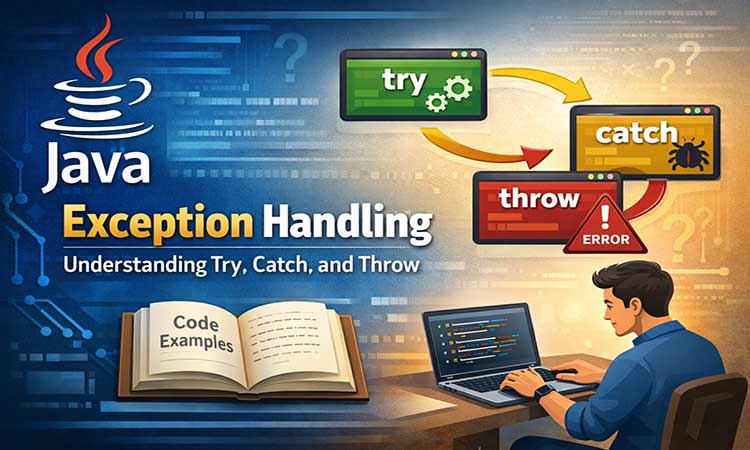

Exception handling in Java is an important mechanism that is used to manage runtime errors and maintain the normal flow of a program. During the execution of a Java application, various types of errors may occur, such as RuntimeException, IOException, ClassNotFoundException, and others. If these errors are not handled properly, the program may terminate unexpectedly. Exception handling helps programmers detect such problems and respond to them in a controlled manner.
By using exception handling, developers can separate normal program logic from error-handling code. This improves program reliability, makes debugging easier, and ensures that the application continues to run smoothly even when unexpected situations occur. Exception handling is therefore, an essential concept in Java programming for building robust and fault-tolerant applications.
Understanding Exception Handling in Java
Java exception handling is used to manage runtime errors so that the normal flow of the application can be maintained. Many global companies use the Java programming language because it is suitable for developing large-scale projects and helps maintain the stability and reliability of applications.
Example
public class A {
    public static void main(String[] args) {
        int a = 15;
        int b = 0;
        int res = a / b;
        System.out.print("Show the result: " + res);
    }
}
Output:
ERROR!
Exception in thread "main" java.lang.ArithmeticException: / by zero
Example (Without Exception handling to solve this error)
Code:
public class A {
    public static void main(String[] args) {
        int a = 15;
        int b = 0;

        if (b != 0) {
            int res = a / b;
            System.out.println("Result: " + res);
        } else {
            System.out.println("Error: Cannot divide by zero.");
        }
    }
}
Output:
ERROR!
Error: Cannot divide by zero.
Types of Exception in Java
There are two types of exception hierarchy in Java that are shown below:
1) Checked Exception:
Checked exceptions are a part of exceptions checked at compile-time. These exceptions included such as ClassNotFoundException, IOException, and SQLException, etc.
2) Unchecked Exception:
Unchecked exceptions are also part of the exceptions checked during the runtime. These exceptions are not checked at compile time. It includes such exceptions as ArithmeticException, NullPointerException, and IndexOutOfBoundsException etc.
Try Block
This keyword handles the specified block, where it shows the error in the code. This cannot be used with a try block alone. After try-catch blocks, we finally write blocks.
Syntax:
try {
     // Write your code here that throws an exception
}
Catch Block
This block handles the exception declares the type of the exception, given the number of parameters. It is written with the try block statement.
Syntax:
catch (Exception error) {
}
Syntax of the try-catch blocks:
try {
//Write your code here that throws an exception
} catch (Exception err) {
}Example:
public class Main {
    public static void main(String[] args) {
        try  {
            int x = 50;
            int y = 0;
        int res = x/y;
        System.out.print(res);
        }
        catch(ArithmeticException e)   {
            System.out.println(e);
        }
        System.out.println("This line will be executed whether error occurs or not");
    }
}Output:
java.lang.ArithmeticException: / by zero
This line will be executed whether error occurs or not
Nested try Block
If multiple errors occur in your code, you can use a nested try block. Because the try block used for that may throw an exception.
Syntax:
try {
   // code throws an exception in outer block
   try {
      // code throw an exception in an inner block
   } catch (Exception e) {
      // Handle inner exception
   }

   // More code in outer try block

} catch (Exception e) {
   // Handle outer exception
}Example:
public class NestedTryExample {
   public static void main(String[] args) {
      try {
         int[] arr = {1, 2, 3};

         try {
           System.out.println(arr[5]);
         } catch (ArrayIndexOutOfBoundsException e) {
            System.out.println("Inner Catch block: Invalid array index!");
         }
	int a1 = 10;
	int b1 = 0;
         int result = a1/b1;
      } catch (ArithmeticException e) {
         System.out.println("Outer Catch block: Division by zero!");
      }
   }
}
Output:
Inner Catch block: Invalid array index!
Outer Catch block: Division by zero!
Nested Catch Block
Nested catch blocks are used to manage several types of exceptions. Each try block contains one or more catch blocks. One try block manages the many throws of different types of exceptions.
Syntax:
       try {
                //code that may throw exception
               }
               catch(Exception e1)  {
                   //handle exception code
                  }
               catch(Exception e2)   {
                    //handle exception code
                  }
               catch(Exception e3)   {
                    //handle exception code
                  }
              catch (Exception e) {
               //handle common exception
}Example:
public class NestedCatchExample {
   public static void main(String[] args) {
      try {
         int[] arr = {1, 2, 3};
         System.out.println(arr[5]);
      } catch (ArrayIndexOutOfBoundsException e) {
         System.out.println("Outer Catch Block: Array index out of bounds!");

         try {
            int num = Integer.parseInt("abc");
         } catch (NumberFormatException e1) {
            System.out.println("Inner Catch Block: Invalid number format!");
         }
      }

   }
}
Output:
Outer Catch Block: Array index out of bounds!
Inner Catch Block: Invalid number format!
Throw Exception
The throw keyword can be used for both checked and unchecked exceptions. It is used to explicitly throw an exception from a block of code. When an exception is thrown, it interrupts the normal flow of execution and transfers control to the appropriate exception handler.
Syntax:
throw new Exception ("Show error Message");Example:
public class ThrowExample {
   public static void main(String[] args) {
      try {
         int age = 15;
         if (age < 18) {
            throw new ArithmeticException("Age must be 18 or above.");
         }
         System.out.println("Eligible to vote.");
      } catch (ArithmeticException e) {
         System.out.println("Exception : " + e.getMessage());
      }
   }
}
Output:
Exception : Age must be 18 or above.