


The first thing you need is to download BitTorent client and install it. It is a program that allows you to download large files weighing tens of gigabytes using the Internet. You can download BitTorrent on the official website or use an alternative option like Transmission, BitTorrent, or other torrent services.
Step 2
It is worth remembering that downloading and watching FF films without acquisition is illegal in many countries. By downloading movies and TV shows from the Internet, you are violating copyright law and may face fines or lawsuits. However, there’s no need to worry because the program hides your IP-address by default. At the same time, sanctions may affect your provider, which in turn will look for those responsible. Using this app, you accept all risks and act on your initiative.
Step 3
The first place where you can search torrent files for downloading movies and TV shows is Google. This search engine and other options can quickly find the necessary torrent files for downloading videos on demand. You can also use torrent trackers and systems that contain ready-made catalog files for download. You should know that many programs contain an abundance of spam, ads for adults, or even viruses. Choosing the right torrent tracker to search for movies, you should read all the reviews and be aware of the possible dangers.
Step 4
After you download the desired torrent file, you need to double-click on it to initiate an automatic download. The process will start automatically, and you can monitor the download progress in the torrent client.
Step 5
Immediately after the download is complete, you will see pop-up notifications that indicate that the film is available to view. Click on the file and launch your video player. Enjoy watching.
Using On-Demand Services
Step 1
The first thing you need to do is choose the on-demand service. Here it all depends on your preferences. For example, Netflix has a monthly subscription that will allow you to watch various films and TV shows and also download them for offline viewing on your device.
Step 2
Next, you need to go to the website of the desired service and open it in a browser. Find in the offer and download it to your smartphone or a PC. You can download Netflix for free on your device.
Step 3
To use all the options, you have to create an account. It is worth noting that this is a standard option for many video services and streaming platforms nowadays.
Step 4
Now you need to find a movie or series that you want to download on your device.
Step 5
Now you need to check if this video content is available for download to a smartphone or tablet.
Step 6
The next step involves choosing a movie quality. The higher the quality of the video, the more space it weighs on your device. The final price may also vary.
Step 7
Next, you need to decide which content acquisition model you want to choose. Some services provide the ability to access any video at the time of the subscription. Google Play or Amazon allows you to buy a separate movie and watch it without restrictions.
Step 8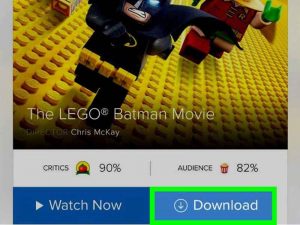
Download the movie and watch it at any time.